
Bookkeeping Records
Bookkeeping Records
View, edit, and export all your expense records
In MoneyNote, all records are centralized under Settings -> Bookkeeping Records for easy management.
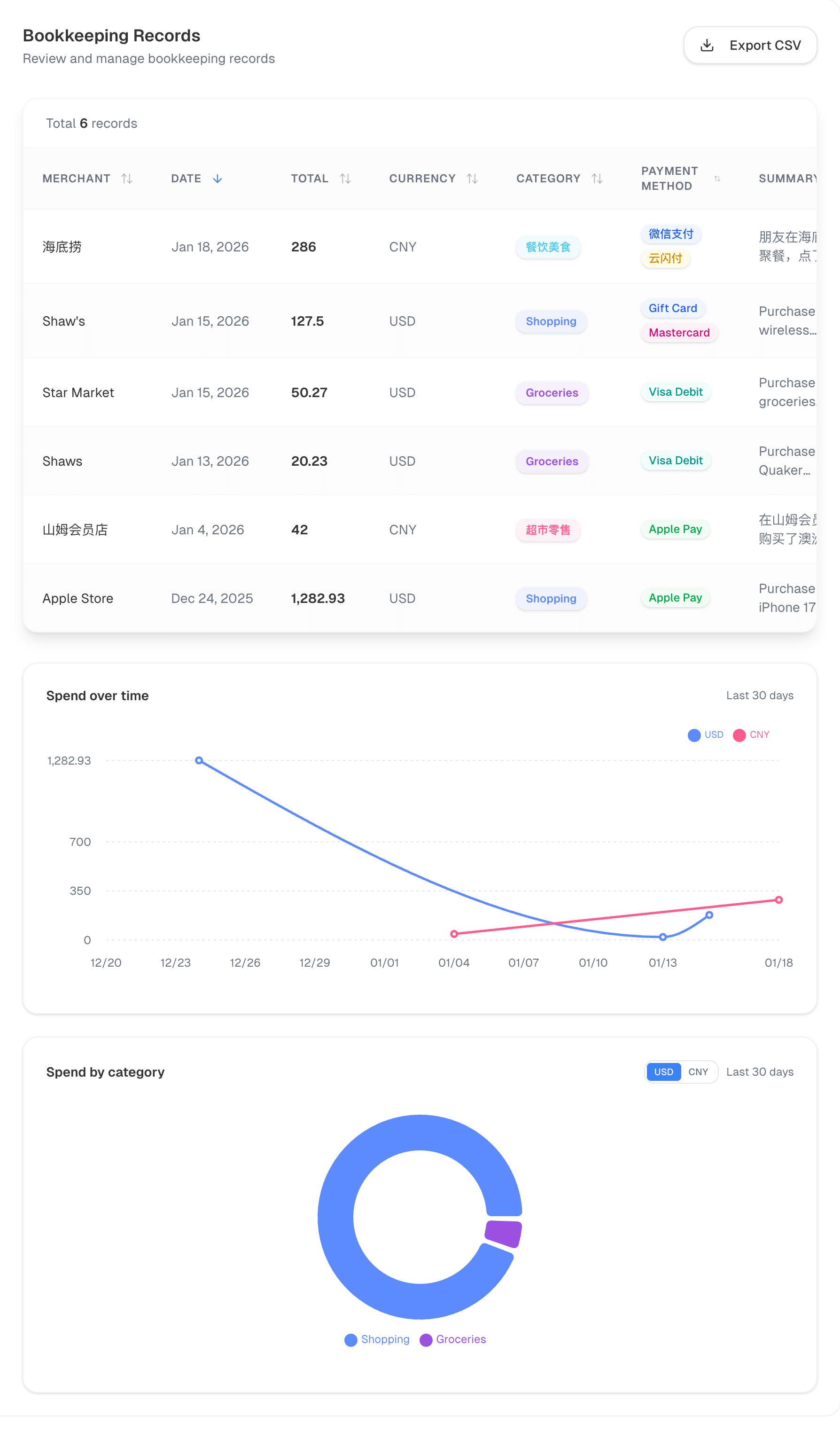 Bookkeeping records page
Records List
The table includes:
- Merchant: Merchant name
- Date: Transaction date
- Amount: Total amount
- Currency: Currency type
- Category: Expense category
- Payment method: Payment channel used
- Summary: Short description
- Created at: Record creation time
Click column headers to sort and quickly locate records.
Edit Records
- Find the record you want to update
- Click Edit
- Update merchant, date, amount, currency, category, payment method, or summary
- Click Save
Delete Records
- Click Delete
- Confirm deletion
Deleted records cannot be restored. Please proceed with caution.
Export Records
Click Export CSV in the top-right corner to download your data as a CSV file.
Analytics
MoneyNote provides two common charts to help you understand spending patterns:
- Spending trend: Daily totals over the last 30 days to spot peaks and changes
- By category: Category share to identify primary spending areas
If you have multi-currency records, charts are separated by currency to avoid mixing totals.
For clearer insights, we recommend reviewing charts after you have at least a few records.