
Install Shortcuts
Install Shortcuts
Set up in 30 seconds and log your first expense
After installing Shortcuts, you can log expenses at the system level without opening the app.
Before You Install
- iOS 15+ (iPhone/iPad) or macOS Shortcuts
- The Shortcuts app installed
- Logged in to your MoneyNote account
- iCloud Drive enabled (for one-click setup and API key storage)
Download Shortcuts
On Settings -> Install Shortcuts, click Install to download the shortcuts you need:
| Shortcut | Best for |
|---|---|
| MoneyNote General | Text, voice, photo, file, clipboard, and more inputs |
| MoneyNote Screenshot | Screenshot-based logging for online purchases or payment captures |
| MoneyNote Camera | Logging paper receipts with photos |
| MoneyNote Multimodal | Direct image understanding for higher accuracy (5x credits) |
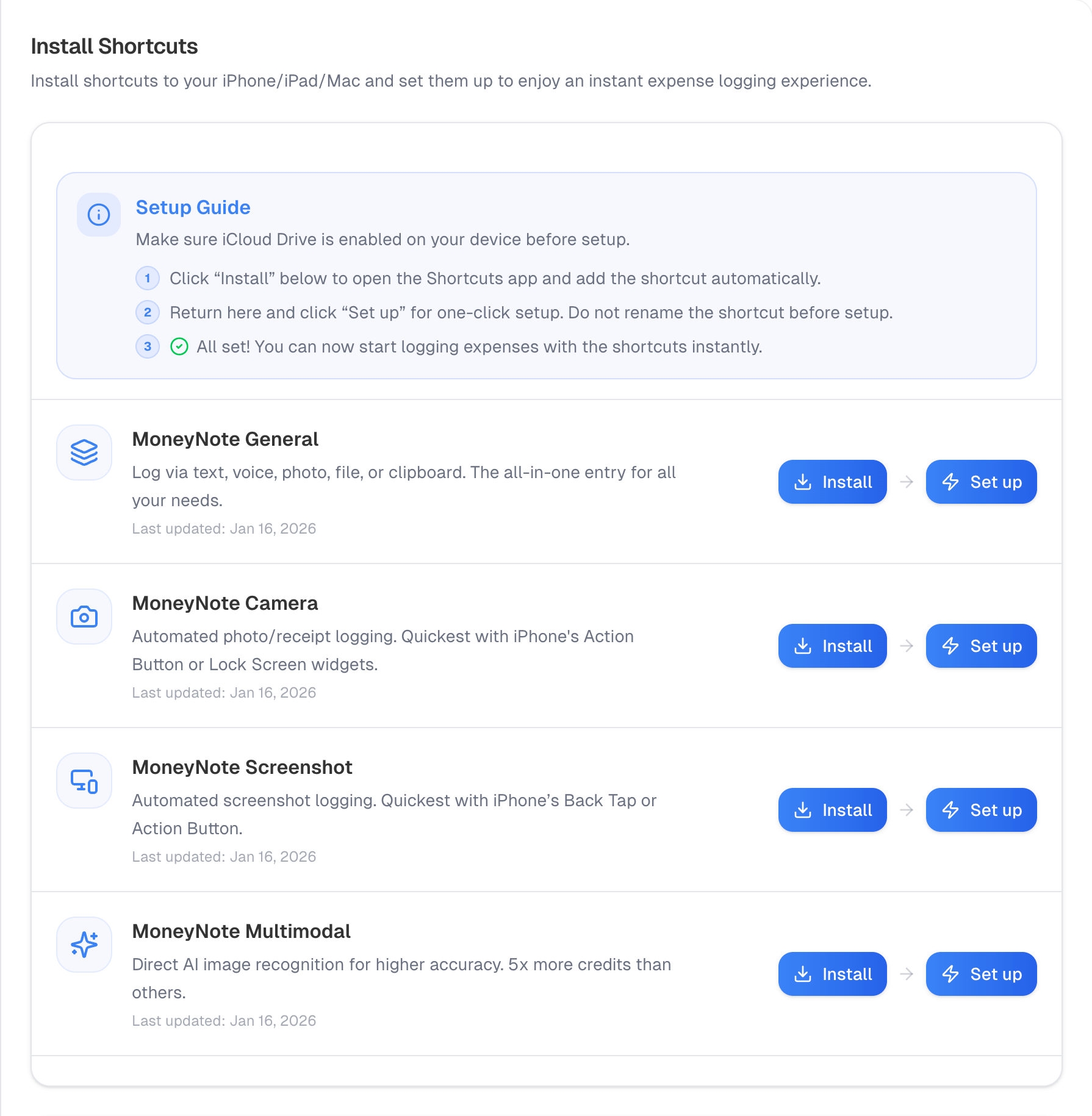 Install shortcuts page
One-Click Setup (Recommended)
- On the Install Shortcuts page, click Set up for the shortcut you want
- The system creates an API key and opens the Shortcut
- Complete the setup and start using it
Do not rename the shortcut before setup.
Manual Setup (Fallback)
If one-click setup fails:
- In the API Keys section, click Create
- Copy the new key (shown only once)
- Open the Shortcut and paste the key when prompted
Common Ways to Use Shortcuts
- Run directly: Tap in the Shortcuts app
- Home screen or widgets: Add to Home Screen or Lock Screen widgets
- System buttons: Assign Back Tap or the Action Button to run a shortcut
- Siri: Say “Run MoneyNote General”
- Share sheet: Share a photo to MoneyNote General from Photos
Input Tips
Include merchant and amount details for better AI accuracy:
Starbucks latte 5.20
Dinner yesterday Haidilao 38
If parsing is inaccurate, edit the record in Bookkeeping Records or refine rules in Custom Rules.